




There’s only one thing better than a great business app; it’s an app with a great application programming interface (API). App builders tend to think about APIs as an afterthought, but on this axis alone, the success of a business app may hinge on its ability to integrate its data seamlessly into the IT environment.

Far too often, I discover really great apps that are well designed and leverage iPad’s threshold effect for positive user experiences, only to learn that the app is a data cul-de-sac; a place where knowledge goes to die. While an app might have a reporting feature that writes its information out to PDF or text files, options for sharing the data in a form that other applications can readily use, are typically missing.

A key objective of a good API is to liberate the data captured on the device, and do so in a secure context. While backing up information is a good reason to provide an API, typically, backup methodologies are planned and included in most business apps. Programming interfaces are generally used to tackle tougher challenges such as integrating with well-established workflow processes in your company. APIs are also useful for automated services that provide near-real-time distribution of data.

iTunes Syncing

Many app designers assume that local data storage on the mobile device, along with synching through iTunes, is a perfectly fine approach for moving information to and from iPad. This may be true for personal apps, but in a business context, there are few integration models that are are worse than this approach. More often than not, business users are directly syncing their devices less than ever and instead, relying on cloud services to move business documents between desktop and other portable devices. iTunes as a dependable interface for data integration is simply a bad idea.

The New Definition of File | Open …

It has always amazed me that product designers for desktop and mobile software solutions could never seem to get their heads around the idea that the Internet is a big disk drive. Only a few smart people at Microsoft realized this ten years ago; they added the ability to open a file over an HTTP connection. Even today, few Office product users realize that you can put a URL into a File | Open dialog and read the document into Excel as if the file were on your hard disk drive.

XML

I can’t stress the use of XML enough in your quest to provide information agility. At MyST we settled on a strategic approach that leverages XML. This decision goes all the way back to 2002 and nearly ten years later we are leveraging the agility this decision has provided us.

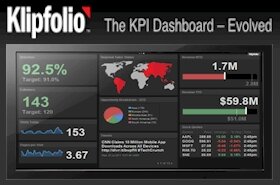
It’s kind of funny – last week I integrated the MyST competitive intelligence platform for a client who wanted to display market data in a Geckoboard dashboard. Geckoboard was invented eight years after MyST, yet the integration solution required no additional programming. XML made this possible.

Lightweight APIs

APIs are one of those features that tend to slide to the back burner because customer requirements come first. However, a solid API makes it possible to meet far more customer requirements through VARs, consultants, and even users. With the agility of an XML API, new ideas and experiments can emerge without your effort. Adopt the philosophy that you don’t know how best your app’s data can be purposes.

Most important – do not assume that APIs must be all encompassing and complex. Nor do they necessarily have to be designed for just programmers. And APIs don’t have to conform to any particular format or model – it just has to make it posible to create integration options and alternative uses of the data.

Lightweight integration options exist and they don’t require significant programming resources. Imagine a feature that simply allowed your users to email an XML representation of the app’s data. This could be built in unison with existing email and export features of your app. This is no different than emailing a textual report except the data is wrapped in an XML schema. As such, much of your existing code and even the UI is already in place.

While emailing is less than ideal for building automated integrations, it’s a good place to start.

So, one might ask -

What can you do with the XML format of the data stored in an app?

Here are some ideas.

  • Imagine it is emailed to an address that parses the XML document and uploads it to a collaboration portal such as SharePoint, or a spreadsheet in Google Docs.
  • Imagine the simplest form of integration – a planning analyst imports XML into Microsoft Project, or an Excel spreadsheet.
  • Imagine the email process places the XML document on a secure server which transforms it into 10 more XML documents that each serve as dashboard widgets and the widgets are running real-time updates to management.
  • Imagine a database process that polls for documents on the server and harvests the new updates for wider access in a knowledge management system.
  • Imagine a reporting system (such as Crystal Reports), taking a collection of [XML] documents and generating a very comprehensive reporting system for managers.

The ultimate objective is to make certain your app is not an island, a cul-de-sac where knowledge languishes in the glow of the app but is largely hidden from the rest of the organization. Automation and agility is a key element of integration – customers need to be able to purpose data across the organization without copying and pasting; without manually saving, opening, and transmitting documents. The app must become a through-street for knowledge and while reporting features are good, the data in them are largely constrained to email and printers.

As demonstrated in this diagram, the integration strategy is multi-faceted but the common framework is based on the ability of the app to push out XML representations of data captured by the iPad app. Once you have the ability to bundle and expose the data in an XML document, the next step is to demonstrate a few of the dozens of ways it can be used.

I work with clients to first establish the integration stories they want to become a reality, then I help them design the actual XML schema. Once the app can expose its data, I assist in building the API marketing collateral (i.e., the stories told as real examples).

Integration is not a story often told by app developers partly because most apps haven’t experienced a demand curve for data integration. Demand for integration options will emerge once businesses experience a few quarters of iPad use. But this requirement is most certainly coming and it will soon be a key differentiator that will stand between larger corporate sales and mediocre adoption of business apps.