
You just walked into a Starbucks for an afternoon latte and a tall glass of WiFi to catch up on email and reports concerning a recent client visit. You get your coffee treat and reach into your computer case to pull out a Windows XP notebook. It’s in sleep mode but fires up slowly giving you time to take a few sips. Setting aside the various systray apps that take a little time to spool up, your notebook is ready for work in less than a couple of minutes.
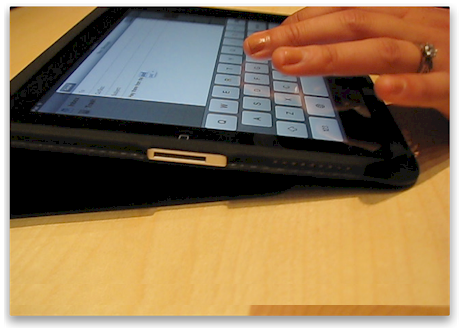
In contrast, a sales rep who works for your biggest competitor strolls in with an iPad under her arm, the tablet tightly embraced in the slim, but very practical case. She sits down with her coffee, flips open the cover and with a gentle tap of the home button, she’s ready to work. Less than 16 seconds has passed since taking the first sip of her drink and the latest email is queued up for responses.
While these two comparisons are relatively equivalent in terms of process, one is about 65% more efficient than the other. You might say that the improved efficiency with iPad is both insignificant and immaterial since it boils down to a very small advantage that occurs only a few times a day. A minute and a half gained by one person ten times a week is simply not going to impact the bottom line; ergo, this almost imperceptible advantage is no reason to consider ditching a laptop in favor of an iPad.
However…
To develop a comprehensive understanding of iPad’s impact on productivity, we must look a little deeper, specifically at task startup and task switching friction but also in the context of productivity opportunities lost. It’s not important how much faster iPad is ready to work unless we consider how many more times iPad is utilized because it has virtually no task startup or task switching friction. To get a sense of this dynamic, I decided to track my own experience over a one month period.
Methodology
A reasonable approach for measuring iPad’s influence on productivity because of its low task startup and switching coefficient required a simple methodology recording all work opportunities taken during a specific time frame. Important to this analysis was the need to contrast iPad work in comparison to the likely (or unlikely) situation where i might have used my Laptop. To get a statistically significant data set of work opportunities, I tracked occurrences for every context where I used iPad for work related tasks over a 22 day period – roughly a month’s worth of business days.
Every time I opened my iPad to tackle anything related to work, I recorded the task, the duration, and most important – what portion of this task and work context would have been performed by my iPhone or notebook prior to the arrival of iPad? Here’s what my observed behavior showed.
The data shows that of the 26.8 hours I spent performing business tasks on iPad, I would have used iPhone for 8.4 hours of those tasks prior to the existence of iPad, and 7.2 hours of the total iPad usage would have performed on my notebook. This leaves a net gain of a little more than 11 hours of work activity that I managed to wring out of 22 business days.
Graphically we can spot the peaks and valleys where iPad is likely to capture opportunities lost for mobile professionals. While this data is localized to my own experience, I suspect it foretells a similar story for most business people who are trying to maximize the opportunity to use time more wisely and get work done.
If we look carefully at the nature of startup and task switching costs it becomes evident that the overall productivity influence must be measured by the opportunities lost as a result of computing inaccessibility due to the the high-friction accessibility aspects of most portable computing devices. But measuring low accessibility due to high friction is a delicate balance determined largely by the capacity of the devices in question. For example, iPhone’s accessibility friction is extremely low, but its capacity to perform complex work tasks is also constrained primarily by its screen size. In contrast, a Windows XP notebook is fully capable of just about every work task, but suffers from bulkiness and high task switching and startup costs – you need ample space on a desk, it needs to boot, connect with WiFi, launch apps, etc. As such, we tend to think twice about firing up a notebook unless one of two conditions exist; (i) extreme urgency, or (ii) lots of time available to take advantage of the startup costs.
iPad is not so much more productive because of its form-factor or apps as much as its unique design and agility allows business people to steal fleeting and unanticipated moments for getting real work done.


I think the grab and go phenomenon is also critical for those of us with home offices who use a laptop as their primary PC.
With the laptop, I have to power down in one way or another, disconnect, make sure I have my power cord, put it in a special briefcase, and then hit the road.
Then, when I return, I have to do all that reconnecting and powering back up.
With the iPad, I just grab and go–and can get right back to my still running laptop in the office.
Nice Thoughts and Data!
[...] to quickly access contents. As my mini-study on the impact of iPad’s agility demonstrates (iPad Agility Creates Surprising Increase In Productivity Over iPhone and Laptop), one of the greatest benefits of this revolutionary device is its ability to steal fleeting [...]
[...] evidenced by my less-than-scientific study, iPad is used for many more complex computing tasks than iPhone and more important, those tasks [...]
Why not just get a laptop/iPhone4 instead of an iPad?…
I had a laptop and iPhone before iPad and I carefully tracked how iPad influenced my own productivity. Sometimes, you need to set aside the core financials (ROI) on a technology strategy and calculate the comprehensive outcome and likelihood that a fun…
What are the best (or most useful) cloud apps for the iPad and/or other tablets?…
if you’re looking for a more enterprise-grade cloud service for seamless document sharing, collaboration, social integration, and security that your IT department will embrace, consider Box.net (http://box.net). On the challenges of trying to ditch th…
Are Ipad’s being used alongside Laptops & Desktops or stand alone?…
This is a fun question because the answers are quite surprising. Most iPad users come into the tweener-tablet space with expectations that lean-back computing equates to only content consumption. This is a mischaracterization of iPad. I use iPad almost…
Interesting — do you have the WiFi or 3G iPad?
Wifi, tethered to jailbroken iPhone 4.
Is the iPad really a solution without a problem?…
Setting aside all the great things that iPad (plus apps) can do to improve life, work, and happiness, the one thing I noticed right away (as a small business person) was it’s ability to steal back moments of productivity in a typical business day fill…
Should I buy a tablet?…
“… f I had a tablet would that just relegate my iPhone to be a waste of money?” Yes, to some degree, iPad will obviously have an impact on your use of iPhone (and laptop). How much depends on the types of things you do when out and about. I tracked…
I know that the iPad is pretty awesome. But is it worth the $500 investment?…
A proper answer to this question depends on a number of factors. For me, at a business level alone, it puts about 11 hours of productivity back on my stack every 22 business days. That’s worth about $2500 to me, and at time, some priceless moments of …
Would it make sense to use an iPad instead of a laptop for a two week business trip?…
I decided to go cold turkey after analyzing what I actually used my laptop (and iPhone) for – haven’t touched my Windows laptop beast since then, but unlike many, I’m fortunate in that I have full control over my IT stack. I wrote about my experience…
[...] after two months. I use iPad in business, so I'm bound to be biased. Read more here – http://ipadcto.com/2010/07/12/ip…10:55amView All 0 CommentsCannot add comment at this time. Add [...]
[...] so, this is not easy – requires a ton of diligence to do it well.http://itunes.apple.com/us/app/t…http://ipadcto.com/2010/07/12/ip…12:40pmView All 0 CommentsCannot add comment at this time. Add AnswerOnly Bill French may [...]
[...] got my first iPad. I'm biased of course, but I did my best to gather data that was reasonable.http://ipadcto.com/2010/07/12/ip…4:13pmView All 0 CommentsCannot add comment at this time. Add [...]
I understand thé concern for windows OS users. I’m using a Mac OS X which I turn off and reboot imediately only after doing a system update. Never face the situation where I need to boot up my computer after entering a Starbucks or alike places. Just pull out the Mac from my bag, put it on a table, open the screen and voila, ready to work without having to lunch any new app as most of the apps/softwares I need are most opened and running in the background or were opened and closed once at least and very fast to open then again since OS X ram management always keep track of opened and close apps to quickly open them the next time needed if the computer is not shut down in between.
As for connecting it to Internet, it’s the same time consuming to connect the Mac to Internet as the iPad unless the iPad is equipped with a 3G sim then. However, I love using the iPad for mail stuff and the Mac for processing docs, i’m very confortable with both devices and don’t think the iPad can help me save some few hours of time over the Mac. In fact, i will even say that replying a long mail take much more time on the iPad than on the comp du to the virtual keyboard on the iPad. That’s just me.
[...] be best performed in a locale such as your office, on a plane, or at home. My [non-scientific] study concerning the use of iPad for business purposes led to some clear distinctions about work [...]